The average knowledge worker loses about 20% of their week hunting for information. That equals a full day gone every week, and it eats into the time people need to do real work.
Judith Guertin, who has spent more than 25 years helping people organize, notes that if notes and files are not recorded and sorted, they might as well not exist. Small habits on the desktop add up and cost creative professionals precious life and work hours.
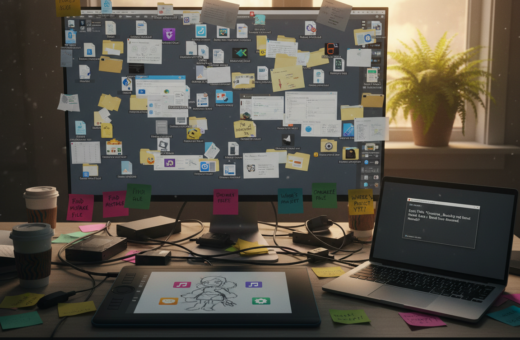
A messy desktop full of random folders, media and other stuff builds a mental barrier. That barrier makes it hard to find the things needed each day and stalls momentum.
Adopting a simple system to manage files and notes can free up time and clear the way for focused creative work. Every bit of disorder is a lost minute that could be reclaimed with better habits.
The Hidden Cost of Digital Disorganization
Hidden inefficiencies in file handling quietly shave hours off each team member’s week. A McKinsey study estimates companies lose about $1 million per year per 1,000 employees because of disorganized workflows and poor file management.
When a desktop fills with random files and folders, people waste valuable time hunting for what they need. That lost time chips away at real creative work and life balance.
Every overlooked email or misnamed document can trigger a chain of delays. Managing the inbox and cleaning folders are simple moves that yield outsized gains.
- Untidy folders and scattered notes increase cognitive load and slow decision making.
- One unorganized email can cost a day when media or documents go missing.
- Without a clear system, stuff saved over years becomes impossible to find.
- Treating each digital thing as a potential liability helps build an efficient workspace.
Small rituals—regular inbox sweeps, folder reviews, and consistent naming—save time and protect work. The bit of effort invested now prevents hours lost later.
Understanding Digital Clutter for Creators
When files multiply without rules, every search becomes a detour away from making. That loss of momentum costs both time and creative energy. A clear way to think about this is to separate daily noise from the work that matters.
Defining Digital Overload
Digital overload shows up as constant notifications, overflowing email, and dozens of apps on a phone or computer. People spend minutes chasing things and lose hours each week. This drains energy and shrinks the space available for focused work and life.
The Growth of Data
IDC reports the total amount of data doubles roughly every two years, reaching huge volumes by 2025. Buffer found 41% of remote workers now struggle to find information across tools.
- Files and documents: need regular pruning to free storage.
- Apps and social media: each one adds noise.
- System and naming: decide a simple method to save time long term.
The Psychological Impact of a Messy Desktop
When too many open apps and tabs compete for attention, the mind pays the price. Neuroscience shows that disorganization raises cognitive load and shrinks working memory.
Attention residue from lingering social media tabs and background media can lower measured IQ by up to 10 points. That drop shows how scattered focus costs real time each day.
Notifications and a crowded phone or computer interrupt deep work. Each interruption fragments attention and forces a costly mental restart.
“A fragmented screen makes it harder to think clearly and finish important tasks.”
- Mess on the desktop increases stress and drains mental energy.
- Open apps and pings steal minutes that add up to lost hours.
- Clearing visible clutter protects the mind and improves focus.
Taking control of this environment helps people reclaim time and restore balance between work and life. A simple cleanup keeps attention trained on what matters most.
Establishing Consistent Naming Conventions
When each file follows a clear pattern, locating what you need becomes a fast, repeatable task. A naming system reduces needless searching and protects productive time.
The Power of Chronological Sorting
Use YYYYMMDD at the front of filenames so files sort by date automatically on a computer or phone. That single rule turns a messy bunch into an ordered archive.
- Rename a file with date + short title before you save; this helps when sharing documents via email and when teams need clarity.
- Organize folders by project, then by date, so apps, social media assets, and media are simple to find.
- Avoid vague labels like “Document Final”—they waste a day and confuse people later.
- Spend a bit of time each day renaming new files; that tiny habit saves hours of future work and protects life balance.
Every document you create should be readable to your future self. A clear system is the best way to locate important files without losing time.
Centralizing Your Digital Storage
A single, reliable storage home saves minutes that add up to real time. When people keep files, notes, and documents in one place, they cut the friction of switching between apps and accounts.
Many struggle because stuff sits on a hard drive, a phone, and several cloud services. That scattering costs valuable time and raises the mental load of remembering where a file lives.
Choosing one home for your work and life files lets teams and individuals move faster. A logical folder structure inside that system keeps the computer cleaner and search faster.
- Consolidate: move notes and documents into one cloud storage platform.
- Organize: build clear folders by project, date, and type.
- Protect: ensure backups and consistent naming so files are always ready.
Every file consolidated is a step toward less noise and more productive flow. Over time, this way of working saves hours and protects important work.
Implementing a Reliable Backup Strategy
A backup plan is the safety net that keeps years of work from vanishing overnight. It protects valued files, emails, and messages so people can focus on making instead of panicking.
The Three Two One Strategy
The 3-2-1 approach is simple and proven: keep 3 copies of your data on 2 different media, with 1 copy stored offsite. This rule covers local failures, theft, and accidental deletion.
- One active copy on the computer or phone.
- A second copy on an external hard drive or local storage device.
- An offsite copy in the cloud or another physical location.
Automating Your Backups
Automate the process so backups run every day or at least once a month. Backup apps can snapshot documents, media, social media exports, and emails without adding work to the day.
Take a bit of time to configure software, connect the hard drive, and test restores. Once set, the system protects life’s important work and reduces stress when hardware fails.
Protecting data is a core part of the creative process. A reliable backup routine ensures your work is safe and recoverable.
Managing Version Control for Creative Projects
Version confusion eats minutes from every project and leaves teams unsure which document is real.
Use built-in version control in major cloud apps like Google Drive or SharePoint. Those histories remove the need for “Final v2” and similar naming tricks.
When files are tracked properly, people save time and always work on the latest draft. This reduces mistakes when sending an email or sharing a link.
- Rely on version history to free up phone and computer space by removing duplicate files.
- Keep a strict version process so past documents can be restored without guesswork.
- Let the cloud track every save; this lowers risk and keeps creative life more organized.
“A clear version policy replaces confusion with confidence.”
Managing versions is a core skill for professional workflows. It preserves quality, creates more space for meaningful work, and protects time across teams.
Leveraging AI and Advanced Search Tools
A few keystrokes and the right tool can end a long, fruitless hunt for a file. AI-driven search indexes documents and files across a drive, hard drive, and cloud so teams save real time.
Mastering Platform Shortcuts
Learn a few shortcuts and search operators to pull the exact email, document, or media asset without opening folders. Most computers and phones can scan the contents of files and messages.
- Use AI assistants like Google Gemini or Microsoft Copilot to query multiple apps and documents in seconds.
- Master inbox and drive search terms to find emails, attachments, and messages with a single string.
- Search your hard drive and social media exports to recover lost things and media assets fast.
Every search should be a clear way to retrieve what you need. With basic training, the screen stops interrupting work. Notifications fall away and life regains space. Strong habits around search tools protect time and keep work moving in the right place.
Preparing Your Workflow for Seamless Handoffs
Preparing handoffs means leaving a clear map so work keeps moving when someone is away.
Document the process with short notes that explain where key documents and files live. Add links to apps and the phone folders that hold media or exports.
When teams plan handoffs, they reduce stress on return from vacation and other breaks. A brief guide prevents confusion and saves time when someone else steps in.
- Keep a tidy folder structure so others find documents fast.
- Write one-page guides that list steps and common pitfalls.
- Tag items and add dates so the next person knows what to open first.
Seamless handoffs are a sign of control and a mature process. Every organized file or note builds a reliable space for work and life to continue without interruption.
“Good handoffs turn absence into a short pause, not a project stall.”
Adopting the Archivist and Weed Whacker Mindset
Adopting two simple mindsets turns a messy screen into a reliable tool. One role catalogs and preserves. The other trims what no longer serves a project or life.
The Role of the Archivist
The archivist sorts files into clear buckets: project, date, and media type. This habit saves time and reduces search friction on a computer or phone.
Keep a small archive ritual once a month to move old things to a home that won’t interrupt daily work.
Performance Analysis for Creators
Act as a performance analyst. Track where people stall and which apps or social media pulls attention away. Data shows patterns. Then change the system.
The Weed Whacker Approach
The weed whacker removes outdated files, apps, and duplicate media. It is a fast prune that renews focus and energy. Every deleted or archived item is a reclaimed bit of space.
- Schedule a monthly sweep.
- Archive what matters; delete what does not.
- Use clear folders so handoffs stay seamless.
For sentimental items and more guidance, see this short guide: how to handle your sentimental clutter.
Creating Sustainable Maintenance Rituals
Set aside small, predictable blocks of time to keep files, messages, and apps from piling up. A weekly tidy session and a short daily check-in form the backbone of a lasting system.
Weekly rituals clear the inbox, tidy the desktop, and move old documents into the cloud home. This prevents digital clutter from growing unnoticed.
Daily habits are shorter: scan notifications, archive or flag emails, close unused apps, and clear quick things from the phone. These minutes protect attention and energy.
- Run a weekly sweep of inbox, social media exports, and folders.
- Keep a simple checklist to track tasks and missed messages.
- Schedule a monthly archive to move older project files to long-term storage.
Consistency builds control. When tools, the computer, and the house of files share a process, the screen becomes a source of calm and inspiration rather than a drain on the mind.
“A short ritual beats a frantic day of searching every time.”
Conclusion
Consistent rituals and a short monthly sweep make the screen a working tool again. A single rule set, reliable backups, and clear names turn hidden delays into minutes saved. Start small and build a habit that scales.
Managing digital clutter need not be a chore. Adopt the archivist and weed whacker roles to keep folders tidy, remove what no longer serves, and protect important work.
Learn a few shortcuts and tidy your apps and things on the desktop this week. Treat the phone and computer as tools that support creative work, not as sources of stress. Maintain the system and the gains stick.