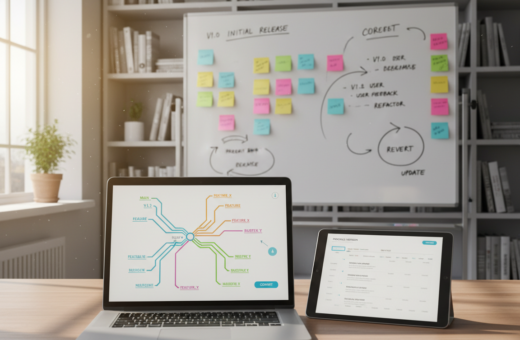
Content batching helps creators move from chaos to calm. Krista of Davey & Krista, with 15 years in branding and marketing, says this way of working lets business owners launch beautiful sites without daily tech overwhelm.
When teams set aside specific hours for creation, they skip the blank-screen trap. Planning a month in advance makes each post and caption match business goals and audience needs.
Using the right tools and templates speeds up the process. A clear calendar and step-by-step approach mean no guessing what to post on any day of the week.
The result is a professional media presence that saves time and protects life priorities. With a repeatable plan, brands keep a steady voice and share high-quality ideas without last-minute panic.
The Hidden Costs of Last Minute Content Creation
Last-minute work quietly eats hours and leaves creators scrambling at the end of every day. What starts as a quick post can stretch into two hours of work and only deliver half a caption.
Rushing to publish causes inconsistency and dread. Many people go weeks without posting because they face constant stops and starts.
Switching tasks wastes the focus needed to reach business goals. Teams juggling edits, scheduling, and client work fall behind on growth.
- Hours lost on a single post harm productivity and brand momentum.
- Failing to use proper tools puts teams in a place of steady overwhelm.
- Reinventing the wheel each day means ideas get shelved, not shared.
“When creators try to create content on the fly, they often end up with less than their audience deserves.”
To avoid this cycle, professionals adopt focused work blocks and reliable systems. For more on practical shifts, see these video batching benefits.
Understanding the Content Batching Strategy
A deliberate block of work turns scattered tasks into steady output and clearer goals. This approach defines the content batching strategy as creating similar types of work in one session to gain speed and focus.
Defining the Core Concept
The core idea is simple: group like tasks—writing captions, designing visuals, or scheduling posts—and do them all at once. Dominek Tubbs of DomNTheCity.com carves out four to five hours to remain consistent, showing how dedication to one block of time pays off.
Benefits of Focused Work
Focused sessions let teams produce weeks of material in a few hours. Using templates keeps a consistent design across media and aligns each post with brand goals.
- Higher productivity when one task gets full attention.
- A steady stream of posts that keeps the audience engaged.
- Less platform switching, so ideas flow and quality stays high.
“Dedicated blocks of work create reliable output and protect creative energy.”
Preparing Your Workflow for Success
A clear pre-work routine turns scattered ideas into a dependable monthly plan. Successful planning begins with a focused brainstorming session that groups topics and maps them into a simple calendar.
Brainstorming and Organizing Ideas
Start with a single list of ideas and sort them by theme, audience need, and business goal. This makes it easy to assign each post to a day or week of the month.
Use practical tools like ClickUp or a plain spreadsheet to track the content batching process. That keeps every post visible and prevents last-minute scrambling.
- Write captions and the main writing in one session to keep voice steady across posts.
- Prepare templates so media and text match and look professional.
- Include a short review step to check that topics support current business goals.
When the plan is set, creators spend their time making and designing instead of wondering what to post that day. A small, repeatable process saves time and reduces stress over the weeks and month ahead.
Essential Tools for Streamlining Your Process
The right set of tools turns a chaotic workflow into a reliable publishing line. Teams save hours and keep their brand voice consistent when they pick platforms that match their needs.
Project Management Platforms
Asana and ClickUp help organize tasks, track progress, and keep a single calendar for week and month planning.
They make a session efficient by listing topics, assigning edits, and logging status for each post.
Design and Visual Assets
Canva offers ready-made templates, including over 3,000 options from the Template Membership, to speed up visuals and remove design overwhelm.
Unsplash is useful for stock imagery that saves hours otherwise spent shooting or editing photos.
Scheduling Software
Tools like Later or Meta Business Suite ensure posts go live on time. Scheduling frees up day-to-day work so teams focus on writing, captions, and graphics.
- Organize ideas and topics in one place.
- Use templates to keep visuals and voice consistent.
- Automate publishing to reclaim time for higher-level planning.
For a simple example of how these tools fit into a workflow, see the template membership overview.
Techniques for Repurposing Content Effectively
With a few edits, a full blog post can feed email, Instagram, and Pinterest for weeks.
Repurposing lets one piece generate 10+ assets. It stretches a single post into carousels, short reels, email snippets, and pins.
Work smart: break the article into bite-size topics, then write short captions and headlines. Use Canva templates to keep design and visuals consistent across media.
- Turn key quotes into Instagram posts and Pinterest pins.
- Edit long sections into quick captions for multiple days.
- Create several graphics at once so your feed looks cohesive.
This approach saves time and avoids reinventing ideas every day. It also drives steady traffic by linking updates back to the original post.
“One core idea republished in varied formats reaches more readers without burning out the creator.”
Protecting Your Time During Batching Sessions
A protected work window keeps creative energy steady and tasks finished. This makes the monthly planning process feel achievable instead of overwhelming.
Creating a Dedicated Environment
Set a 90-minute timer for uninterrupted work. Aim for one to two focused sessions per day on your batch content to get real progress in a single block.
Choose a quiet place with minimal tech noise. Close email, mute notifications, and keep only the tools you need open. A tidy desk and ready templates speed design and post creation.
- Make the batching day a non-negotiable event in your calendar so the business stays consistent over the weeks.
- Use a timer to boost productivity and finish planned tasks within the session.
- Limit open tabs and keep planning documents in one folder to avoid wasted hours.
By setting clear boundaries, teams reclaim life outside work and protect creative energy. A focused workspace makes each minute count and helps the process deliver reliable posts for the week and month ahead.
“Protect the block. Treat it like a meeting with your future self.”
Conclusion
Regularly scheduling creation sessions gives teams a clear runway to publish with confidence. This simple shift makes the whole content batching strategy work: fewer emergency posts and steadier results.
By planning social media in advance, a business reaches its audience with professional, high-quality pieces that reflect the brand. The process saves time and drives more traffic to a website while letting people focus on core work and life outside the day-to-day grind.
Krista of Davey & Krista refined these methods over 15 years to help entrepreneurs scale without overwhelm. Adopt this approach and you will reclaim hours, improve productivity, and keep your media calendar full with less stress.