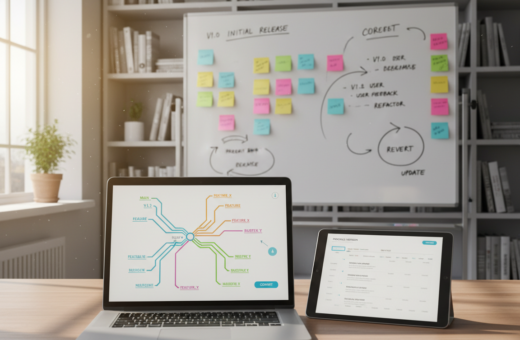
Small teams often get bogged down by back-and-forth messages when approving content. A 2023 study found 88% of creative teams face compliance issues because review processes are chaotic or missing.
By defining a clear creative workflow and a simple creative brief, a team can set expectations for tasks, timelines, and review points. This structure reduces admin time and helps members focus on high-value work.
Using the right tools and basic version control keeps files current and prevents duplicate drafts. Automated proofing and feedback loops speed approvals and protect deadlines.
Good communication is the fastest way to track progress. When teams use a shared process, they spend less time chasing messages and more time on the project work that matters.
Understanding the Impact of Communication Overload
Excess messaging and scattered tools drain a team’s time and derail delivery. Siloed platforms and slow approvals reduce the hours people spend on actual work.
“Less than one-third of creative professionals spend most of their day on creative tasks; the rest is spent on admin and chasing files.”
Common consequences include:
- Team members hunt for assets, creating major bottlenecks for progress.
- Duplicated drafts and version chaos slow the entire team and harm quality.
- Slow approvals and scattered feedback reduce momentum and cost time and revenue.
Good management begins by mapping where the process breaks down. Identifying those gaps helps leaders choose better tools to centralize feedback, simplify approvals, and get teams back to high-value work.
Defining an Efficient Creative Collaboration Workflow
Defining clear stages helps a team move ideas from sketch to launch without bottlenecks. A simple roadmap sets expectations and saves time during every project.
The Core Phases of Creative Work
The typical process splits into five phases: define the project, generate ideas, gather feedback, launch, and evaluate. Each phase has a short checklist so the team knows the next step.
- Define: scope, goals, deadlines, and owners.
- Brainstorming: collect ideas and pick a direction.
- Feedback: review drafts, consolidate notes, and lock versions.
- Launch: publish and distribute the final asset.
- Evaluate: measure results and log lessons for future projects.
Why Structure Matters
Structure gives a repeatable way for teams to manage time and avoid version chaos. With tools that track edits and comments, everyone works on the latest file.
“A clear process helps teams finish tasks on time and keeps ideas moving forward.”
In short: a well-defined creative workflow guides the team from idea to delivery, reduces rework, and keeps projects on schedule.
Establishing the Foundations for Team Alignment
Teams perform best when everyone knows who owns each task and when milestones are clear.
Define roles and responsibilities so team members avoid overlap and know who approves deliverables. Clear ownership boosts accountability and reduces repeated questions that waste time.
Set measurable goals that follow Peter Drucker’s idea that clear aims change motivation and behavior. When goals are visible, management can track progress and keep projects on schedule.
“What gets measured gets managed.”
- Make a brief role sheet for each project and share it at kickoff.
- Use simple milestones so the team sees progress without excessive updates.
- Document the approval process to prevent scope creep and lost time.
- Keep communication concise and regular to maintain alignment across teams.
Document lessons at project close. That builds stronger workflows and helps future teams produce better work faster.
Streamlining the Request Intake Process
Intake forms are the gatekeeper that turns scattered asks into organized projects. A clear intake cuts waste and sets expectations before any work begins.
Best practices for request forms focus on mandatory fields that capture goals, deadlines, formats, and required assets. A standardized creative brief template ensures the right details arrive with each project.
Best Practices for Request Forms
Keep forms short and use dropdowns to limit open questions. That reduces back-and-forth and saves time for the team handling review.
- Use a brief template to capture scope, timelines, and deliverables so work starts fast.
- Require upload fields for files and content to avoid missing assets later.
- Include dropdowns for priorities and formats to speed triage and assignment.
- Connect forms to a central dashboard so management and teams see task status and deadlines.
- Choose tools that auto-assign requests to the right owner to prevent lost projects.
When intake is managed well, feedback loops shrink and teams spend more time on impact.
Optimizing Project Planning and Scheduling
A tight schedule turns a vague plan into a predictable project with fewer surprises.
A well-structured schedule acts as a roadmap for project management. It keeps the team and client on track and helps control the budget. Breaking larger objectives into smaller tasks makes assignment and tracking easier.
Why this matters: clear timelines help the team spot bottlenecks early and meet deadlines without rushing. Proper management of the schedule prevents duplicate effort and ensures each task has an owner.
“By 2030, an estimated 30% of hours worked in the U.S. could be automated, freeing teams to focus on high‑value projects.”
Visual tracking through a dashboard makes progress visible. That allows managers to adjust the process and timelines in real time.
- Break goals into actionable tasks so team members know what to do next.
- Use a timeline for deadline clarity and better time management.
- Track progress visually to reduce rework and keep projects on schedule.
Centralizing Assets for Seamless Collaboration
A single source of truth for files stops version confusion and speeds review cycles. Teams find the right asset fast and reduce rework across every project.
The role of a Digital Asset Management system is to store images, video, templates, and creative assets in one place. A DAM gives the team reliable access and enforces naming, tagging, and permission rules.
The Role of Digital Asset Management
Centralizing assets in a DAM ensures that teams always pull the most recent files. That reduces lost time and lowers the chance of costly errors during project management.
Version Control Benefits
Version control prevents the team from editing outdated files. It eliminates duplicates and makes feedback clear by tying comments to the exact version under review.
- Integrated tools like Adobe Creative Cloud connectors let designers work directly on source files.
- Clear version history speeds review and keeps projects moving toward launch.
- When assets are centralized, communication improves because everyone sees the same files during review.
“A centralized asset hub saves time and raises quality across projects.”
Accelerating Review and Approval Cycles
Slow review cycles waste time and leave teams guessing which file is truly final. Relying on long email chains hides comments and causes repeated revisions that push deadlines.
To speed approvals, teams should use online proofing tools where stakeholders comment directly on the content. That keeps feedback tied to the exact files and reduces confusion about the latest version.
Effective management also means limiting review rounds. Fewer cycles save time and help the team focus on what matters. Automated reminders keep pending approvals visible and help projects hit timelines.
“Tracking review cycles helps managers spot recurring bottlenecks and fix them early.”
- Use proofing platforms and version control to ensure everyone sees the latest file.
- Set automated reminders so reviews don’t stall and deadlines stay intact.
- Centralize approval steps so assets move toward launch without duplicate notes.
When teams adopt these tools and tracking practices, they reduce bottlenecks, improve feedback loops, and keep projects on schedule.
Leveraging Technology to Boost Productivity
When the right apps connect tasks and people, teams finish projects faster and with fewer errors. Technology brings structure to the project process and reduces time spent on admin.
Project Management Platforms
Project management platforms centralize task lists, assignments, and approvals. A single dashboard gives managers clear visibility into each project and its status.
Benefits include:
- Centralized tasks and files so the team always has access to the latest assets.
- Clear assignment of owners to reduce overlap and wasted time.
- Automated reminders that keep approvals moving toward launch.
Communication Tools
Fast, focused communication tools cut back on long email threads. Real-time chat and threaded comments make feedback direct and easier to act on.
Automation Benefits
Automation handles repetitive work like file sharing, reminders, and status updates. That frees the team to focus on higher-value tasks.
“Using the right tools helps teams focus on work that matters and deliver content on time.”
Learning from Real World Success Stories
Case studies from top firms highlight how integrated tools resolved version problems and saved hours. CIDCOM, an Austrian agency, linked its DAM to Adobe InDesign using the CI HUB Connector. That change cut approval times and let the team focus on design and delivery.
Ansira manages thousands of assets for 500+ brands across 140 countries. They produce over 130,000 designs a year and report a 98% satisfaction rating. Their project management and management systems scale tasks and keep files consistent across regions.
Key lessons include:
- Use integrated tools to maintain version control and speed review.
- Centralize assets so teams have fast access to the right files.
- Document process improvements to repeat successes and meet tight deadlines.
“When teams combine the right tools with clear process rules, projects finish faster and brand quality stays steady.”
Teams can learn from these examples. For a practical guide on how to make creative workflows efficient, see this implementation guide. Adopting similar practices helps teams improve feedback cycles, protect timelines, and deliver better work.
Conclusion
, A repeatable approach to reviews and files lets teams focus on high-value work, not admin.
Optimizing a creative workflow reduces message overload and speeds each project. Good management and simple structure centralize assets and make feedback clear.
Using the right tools cuts approval loops. It keeps files accurate and helps teams meet deadlines. Regularly review the process to spot slow points and improve results.
In short: combine clear roles, proven management practices, and automation to save time. That way teams coordinate content approvals and deliver better work without endless messages.