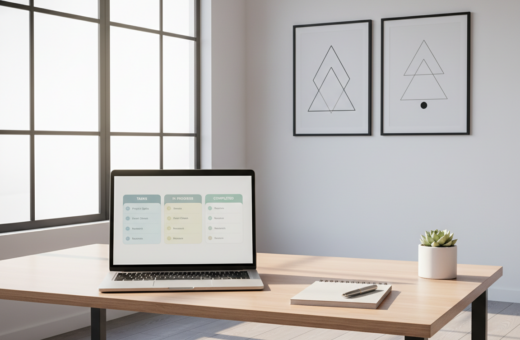
Distractions on a workstation often start before any task begins. A cluttered computer desktop can pull attention away from deep work and sap mental energy. They are visual interruptions that raise cognitive load and slow progress.
Research links a neater digital space to improved task flow and fewer mistakes. By refining a computer desktop and removing random files, professionals report clearer priorities and faster decision making.
Simple changes lead to real gains. When people tune their digital setup, they turn a noisy screen into a tool that supports goals. This shift helps sustain concentration across the business day.
Key takeaway 1: A tidy screen reduces distractions and cognitive load.
Key takeaway 2: Optimizing the digital layout boosts focus and workflow efficiency.
The Psychological Impact of Digital Clutter
A cluttered screen turns a workstation into a visual to-do list that never stops asking for attention. This constant input forces the brain to filter low-priority signals, which reduces the capacity for focused work.
Windows often makes it easy to treat the computer desktop as a holding area for everything. Over time, that practice creates a sense of digital chaos and steady friction when people try to start tasks.
When a screen is full of icons and files, the brain expends energy scanning irrelevant items. Many users report higher stress levels because the visible mess acts as a cue for unfinished work.
Removing unnecessary items lowers cognitive load and speeds the search for documents or apps. A tidier view supports clearer priorities and reduces mental fatigue during long work sessions.
- Less visual chaos preserves mental energy.
- Fewer visible files reduce stress and improve focus.
- A professional-looking screen helps during meetings and screen sharing.
Implementing Effective Clean Desktop Organization
A purposeful approach to your screen turns scattered files into a clear workflow. Small, regular steps make the process manageable and fast.
Clarifying Your Digital Needs
Start by naming key categories. Shira Gill recommends identifying life areas like current projects, client documents, and personal files.
Limit main folders to five — for example: Life, Business, Books, Client Docs, Photography. This 5-folder rule gives every item a home.
Editing Files and Folders
Spend less than five minutes deleting obvious junk. Remove files like “Untitled53” and duplicate downloads to reclaim minutes and reduce clutter.
Use a temporary “Review Later” folder when unsure. Add dates to project folders (e.g., 2024-12-Client-Launch) so work sorts chronologically and stays searchable.
Establishing Visual Style
Elevate the screen with a minimal image or custom wallpaper from Canva. Changing folder colors on a Mac creates a calm, neutral palette that pairs with the photo.
Small visual choices save time — consistent icons and a few folders reduce distraction and help people focus on the task at hand.
- Identify categories that match your life and work.
- Delete obvious junk in minutes to speed searches.
- Apply the 5-folder rule and date project folders.
- Use a simple image as wallpaper and match folder colors.
Essential Tools and Software for Long-Term Maintenance
Automated utilities can turn daily maintenance into a hands-off habit. The right mix of apps keeps icons, folders, and files tidy so people spend less time searching and more time on work.
Automating System Cleanup
Rambox centralizes messaging and productivity apps to prevent shortcuts and scattered links on the screen.
Stardock Fences creates labeled boxes so new documents land in a controlled folder instead of piling up.
- Microsoft PowerToys speeds batch renaming and image resizing, saving minutes on repetitive file edits.
- Microsoft PC Manager clears temp files and browser clutter to keep the computer responsive.
- Other helpful options include iTop Easy Desktop, Portals, Rainmeter, and Advanced SystemCare for focused tasks like grouping icons, surfacing active projects, or removing leftover data.
Use a small toolset and a weekly sweep to make upkeep effortless. For larger maintenance planning and preventive measures, see a recommended list of solutions such as preventive maintenance software.
Conclusion: Sustaining a Productive Digital Workspace
A few minutes each week can stop files and icons from taking over a screen. A simple Friday file-away ritual of five minutes keeps the desktop ready for Monday’s work.
Limit visible icons and set a monthly reminder to clear the downloads folder. This saves time and avoids digital clutter that slows a computer and steals focus.
Regular audits of folders and documents help people keep their life and projects in order. Use a clear wallpaper and a single folder for active items so files and image cues work together.
Over time, these habits make it easy to organize computer assets and keep performance high. The goal is a sustainable way to support long-term professional success.