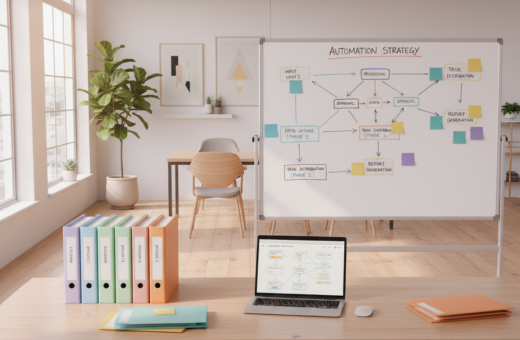
In 2025, creators face a clear tipping point. What once seemed like harmless folder habits now costs real time and creative focus. They spend hours each week sorting files and hunting for misplaced documents, apps, or videos.
The traditional folder system depends on steady human discipline. That discipline often breaks down during busy weeks, turning neat plans into scattered desktop chaos.
Even small delays add up. By tracking minutes lost to search and distractions, teams can see exactly how much productivity slips away from marketing and project work.
Switching to a better system is not just convenience. It frees people to focus on high-value projects, improves workflow, and helps teams move faster toward shared goals.
The Hidden Cost of Manual File Management
Minute choices about where to save things quietly drain a team’s capacity over months. Since the 1980s, folder hierarchies have guided how teams store digital assets. That model worked for small libraries but breaks down as projects scale.
When thousands of files pile up, every new document or video becomes a micro-decision. People spend minutes—then hours—choosing a folder, renaming, or chasing an older version. Those small actions interrupt creative flow and slow down projects.
- Consistent naming and placement collapse under daily pressure.
- Marketing and design teams find shared folders turn chaotic fast.
- Each app or tool added to a workflow can increase sorting work instead of reducing it.
Analysis of usage data shows time spent on manual sorting is a measurable tax on output. Teams that track where minutes disappear can make a strong case for smarter options.
To see practical numbers behind the cost, review the research on the hidden costs of manual document processing.
Why Traditional Folder Hierarchies Fail at Scale
What starts as tidy folders quickly turns into a maze when teams add hundreds of new items each month. A simple folder plan can work for small workloads, but this guide shows it breaks down fast as projects grow. Manual file management creates repeated micro-decisions that cost real time and focus.
The Decision Fatigue Problem
Every save asks a choice: which folder, what name, which version. People make hundreds of these decisions each week.
That constant choosing produces decision fatigue. When people tire, they misplace documents, emails, videos, or put items on the desktop. Those small errors add up into lost minutes and fractured data logic.
Scalability Issues
Manual hierarchies typically collapse once a team passes about 5,000 files. At that point, the system slows down search and review cycles.
- Folders that made sense on Monday feel random on Friday.
- New apps and tools often multiply sorting tasks instead of reducing them.
- Without a robust solution, teams spend more time managing storage than creating content.
The Limitations of Tag-Based Organization
A tagging layer looks flexible on paper, yet it can create more work than it saves in practice. Teams must commit to a single vocabulary and apply tags consistently across documents, apps, and videos.
For every new file, someone must decide which tags to add. That choice multiplies effort compared to choosing a folder and can interrupt creative flow.
Within weeks, tagging systems often fracture. Some people tag precisely; others skip the step. The result is a mixed workspace where search returns uneven results.
- Maintenance burden: manual tagging needs regular governance to stay useful.
- Inconsistent results: mixed tags lead to missed documents and wasted time.
- Workflow friction: integrating tags into email, apps, and team tools adds steps.
Before investing in tags, teams should test whether the system reduces search time or simply adds another layer of complexity. If people lack the time or discipline to tag every document, the approach will likely fail.
Understanding the Search-First Philosophy
A search-first strategy rests on the hope that names carry enough context to find content fast. It assumes good naming and consistent habits will let teams pull any document in seconds.
That optimism often meets reality. Search performs well for email and short text. It struggles with images, videos, and dense documents that lack clear metadata.
The Filename Quality Trap
Generic names like “Document (3).pdf” or “IMG_001” break search. When people save many items, naming discipline slips and retrieval fails.
- Discipline cost: keeping names useful needs steady effort that most teams do not maintain.
- Type limits: image and video content often lack searchable text, so names must carry extra detail.
- Time tradeoff: a blind search can take five minutes, while a clear folder path may take one minute.
The guide’s point is simple: search-first trades upfront structure for later hunt time. For many teams, that trade raises management and workflow costs rather than lowering them.
The Core Benefits of Automated File Organization
Instead of adding chores, a modern system quietly sorts new content as it arrives. This removes the need for ongoing human effort and cuts the time teams spend on low-value tasks.
The system reads files, understands content, and places items in the right folders with high accuracy. That means emails, documents, images, and videos are where people expect them.
- 99.9% accuracy: far above manual methods.
- Hybrid structure: combines folder consistency with tag-like flexibility.
- Seamless workflow: integration with apps and tools keeps teams focused on content.
“When placement happens automatically, teams reclaim hours each week and regain creative focus.”
It scales from 100 to 100,000 files without added overhead. For teams evaluating change, see practical tips on file management best practices to plan integration and migration.
How AI Transforms Your Digital Workspace
AI now reads context in documents the way a teammate would, cutting busywork fast. This shift changes how teams handle uploads and keeps people focused on creative work instead of sorting.
Natural Language Processing lets the system understand intent and content inside each file. It tags and routes documents, emails, images, and videos so retrieval is intuitive.
Pattern Recognition
The system learns a team’s habits and preferences in about one week. After that learning period, it reaches ~99.9% accuracy in placing items where people expect them.
Instant Retrieval
Search becomes conversational. Users can ask for a document or video in plain language and find results immediately.
- Speed: AI can sort hundreds of items in a second, saving hours of manual work.
- Consistency: Integration with apps and tools keeps every team member aligned.
- Sustainability: This level of automation makes long-term management far easier as data grows.
“This is not just faster sorting; it’s a different category of performance.”
Comparing Manual Methods Against Modern Automation
A side-by-side timing test reveals a striking gap between manual sorting and modern systems. In many creative teams, this gap shows up as lost minutes that add to hours each week.
Manual folders often demand 30+ minutes daily to keep current. People spend that time renaming, moving, and hunting for documents and videos. Accuracy usually sits near 70–80% when many files pile up.
By contrast, an automated approach requires setup time and then nearly zero daily effort. It maintains about 99.9% accuracy and scales past thousands of items without slowdowns.
- Manual folder work grows linearly with files and breaks near 5,000 items.
- Modern systems keep retrieval fast and support integration with email, apps, and team tools.
- Teams reclaim time and reduce management overhead across workflows.
“Move away from methods that need constant human effort and embrace systems that save time.”
Evaluating Your Current File System Health
A quick retrieval check reveals whether a team’s storage still serves its work.
Start with a simple test: can someone pull a document from three months ago in under 30 seconds? If not, the system costs the team real time and focus.
If people spend more than five minutes each day on basic management tasks, the setup is likely inefficient and needs change. A healthy system should stay fast as new files and videos arrive, not slow down.
- Measure retrieval time for docs, images, and videos across the team.
- Track daily minutes spent on moving, renaming, or hunting for items.
- Check whether apps and email integrate so content is accessible where people work.
- Confirm that folders and documents remain predictable for all team members.
Be candid: many teams tolerate dysfunction because they underestimate the benefits of automation and better integration. Reviewing workflow points reveals where the system fails and where to start improving access and productivity.
Strategies for Transitioning to Automated Workflows
A simple switch can turn hours of sorting into minutes of steady workflow.
It takes about two minutes to set up an AI system for your files. Teams rarely need to scrap existing folders. They can point the system at one messy folder, like Downloads, and watch it learn how to sort new content.
After a short trial, they can enable automatic handling for all new items. This keeps a workspace tidy while the team keeps working. Integration with email and other apps ensures attachments land where people expect them.
- Start small: test on a single folder to see accuracy and save time.
- Scale gradually: enable automatic placement for new files across drives.
- Full rebuild: teams that want a fresh start can let the system reclassify the entire archive.
By removing human error from routine sorting, the system maintains consistent management and frees up time for creative work.
“When placement happens automatically, teams reclaim hours each week and regain creative focus.”
Managing Attachments from Email and Chat
Attachments arriving by email and chat often become the hidden backlog that slows every project. Teams lose minutes each day hunting messages for a contract, a mockup, or a video. Workers spend roughly two hours a day each week looking for documents, so cleaning this flow is critical.
Saving Email Attachments
Set rules so every email attachment moves to the right folder as soon as it lands. This reduces manual saves and cuts retrieval time.
- Filter noise: block marketing images and signatures to keep storage focused on relevant documents.
- File type rules: route contracts, spreadsheets, and images to specific folders by type.
- Version control: ensure the latest document replaces older copies for consistent access.
Organizing Chat Files
Chat threads hide important assets in long streams. Use integration to capture attachments and tag them for projects.
Automation can name and place each file so team members find the latest version fast. This keeps the system tidy and saves valuable time when projects move quickly.
“Automating attachment handling prevents important files from getting buried in long message threads.”
Best Practices for Cloud Storage Backups
A consistent backup routine makes accidental deletions a non-event for teams. They should ensure every new file and upload is logged and protected immediately.
Use multi-step workflows to create backup copies across drives or cloud apps. This adds redundancy so a single sync error or deletion does not cost time or work.
Integrate backups into daily work by routing email attachments and project uploads into the same backup process. That keeps content and videos covered without extra steps.
- Record key details—name, upload date, and location—in a shared spreadsheet for quick search.
- Apply consistent rules so folders and archives receive the same treatment across the system.
- Test restores regularly to confirm backups actually recover the needed files and versions.
“A robust backup strategy is a fundamental part of any professional file management system.”
When backups run reliably, teams reclaim creative time and gain peace of mind.
Selecting the Right Software for Your Needs
Choosing the right software starts with a clear list of what the team actually does every day. Teams should note the types of content they create, common tasks, and where they lose the most time.
Evaluate needs by scale: a solopreneur often needs simple cloud storage, while a team may require governance and advanced search. This guide reviews 10 top options for 2026 to help decide between basic storage and digital asset management.
Consider specific item types. If images and video dominate, prioritize tools that handle large files and recognize complex file types. If email attachments matter, check integration with inboxes and apps.
- Razuna: free for up to five users with 500 GB — good for small teams needing structure.
- Google Drive: familiar, with 15 GB free and strong app integration.
- Compare costs, migration effort, and whether the solution offers automated tagging or strict version control.
By choosing a tool that matches workflow and budget, teams can move away from manual sorting and regain creative time.
“Select a solution that fits daily habits — the right match saves real time and frustration.”
Why Digital Asset Management Matters for Teams
A proper digital asset system turns scattered creative assets into a reliable single source of truth. For teams that produce marketing content, a DAM keeps brand elements, images, and documents consistent across campaigns.
Governance and Version Control
Governance ensures every team member accesses the correct versions. Version control prevents multiple edits from diverging and reduces rework when deadlines loom.
A DAM tracks changes and records who edited what and when. That audit trail gives managers confidence with sensitive or client-facing files.
- Secure external sharing lets teams send approved assets to partners without losing control.
- Integration with email and common tools makes retrieval fast where people actually work.
- It scales as the library grows, so folders alone do not become the bottleneck.
Many teams find a DAM pays back the time spent searching for misplaced files. For groups deciding whether they need a full system, the savings in time and improved management often justify the investment.
“A single source of truth reduces confusion and speeds creative delivery.”
Conclusion
Small, steady improvements to how teams store and find content compound into big time savings. , strong, this guide shows that moving away from manual folders lets teams reclaim minutes and focus on creative work.
Adopting a smart approach to file management and automation reduces daily friction. It keeps files where people expect them and speeds retrieval across the team.
Focus first on workflow review and integration with everyday apps. With the right tools, a solopreneur or large team can protect assets, share faster, and cut wasted minutes from common tasks.
Start small, measure results, and scale integration to fit budgets and needs. The payoff is more reliable management and more time for meaningful work.